
SAP Withholding Taxes
Withholding Taxes Configuration Basic Settings
Check Withholding Tax Countries
IMG – Financial Accounting- Financial Accounting Global Settings – Withholding Tax – Extended Withholding Tax – Basic Settings – Check Withholding Tax countries
The withholding tax country is needed for printing the withholding tax form and also for maintaining the tax codes in the vendor master and customer master

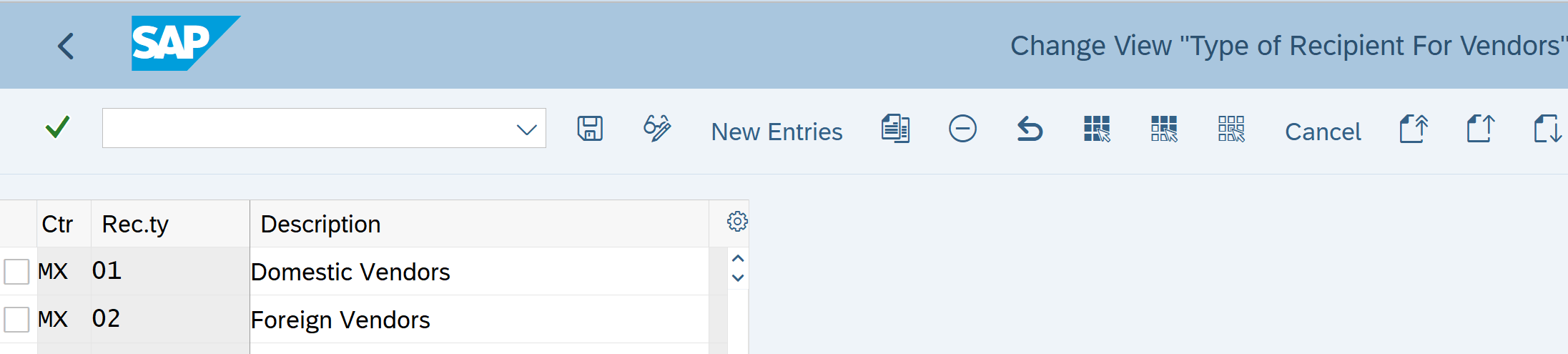
Maintain Types of Recipients
IMG – Financial Accounting- Financial Accounting Global Settings – Withholding Tax-Basic Settings – Maintain Types of Recipients
This is required to categorize the vendor. For example: Domestic Vendors, Foreign Vendors
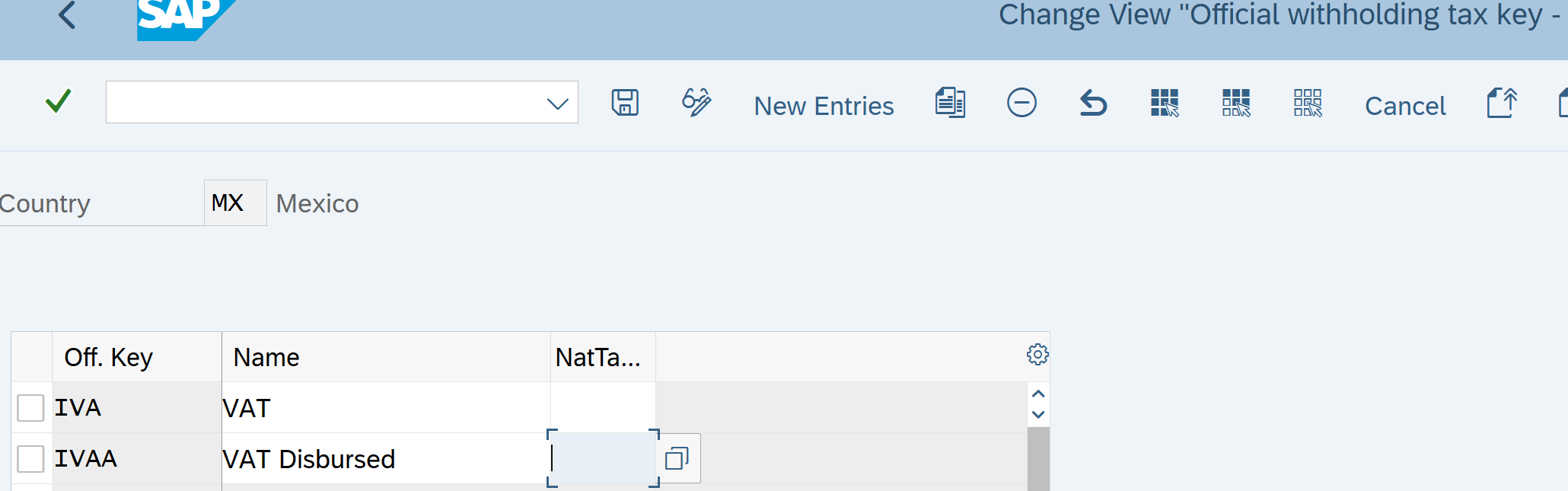
Define Withholding Tax Keys
IMG – Financial Accounting- Financial Accounting Global Settings – Withholding Tax – Extended Withholding Tax – Basic Settings –Define Withholding Tax Keys
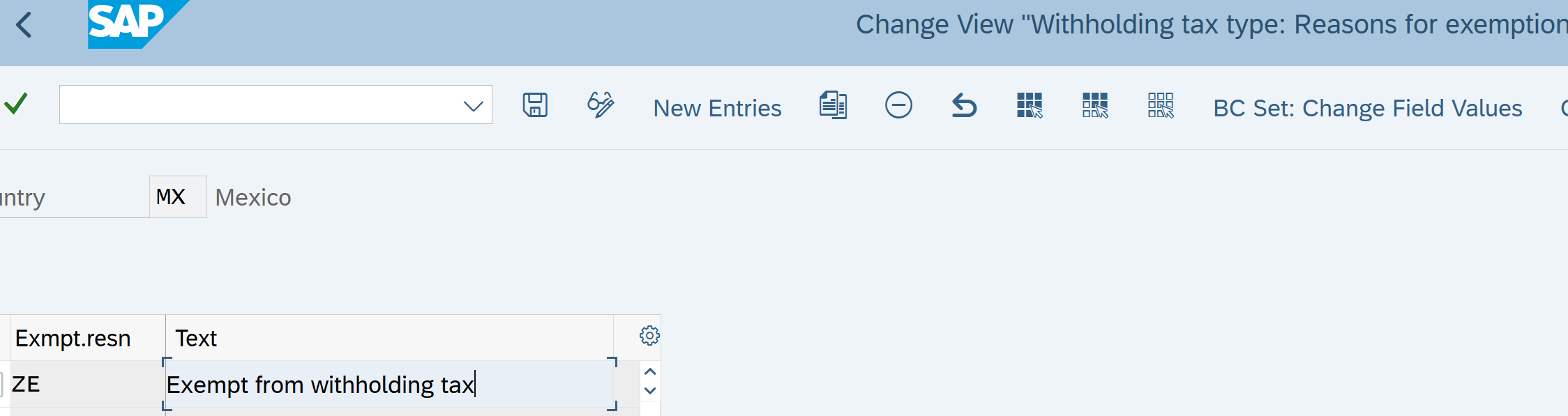
Define Reasons for Exemptions
IMG – Financial Accounting- Financial Accounting Global Settings – Withholding Tax – Extended Withholding Tax – Basic Settings –Define Reason for Exemptions
Here we define reasons for exemption from withholding tax. This indicator can be entered in the vendor master record or in the company code withholding tax master record information.
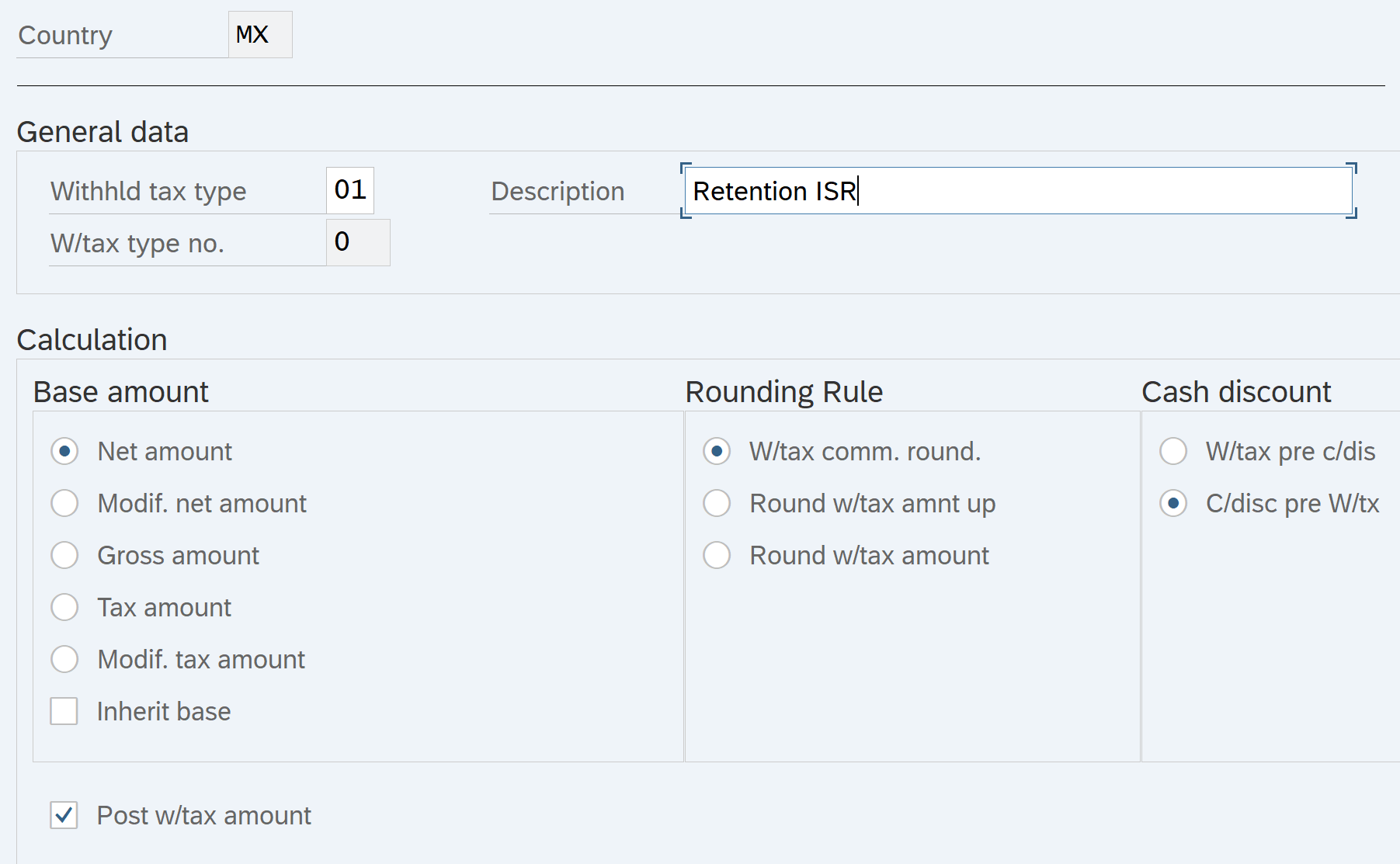
Define Withholding tax Types
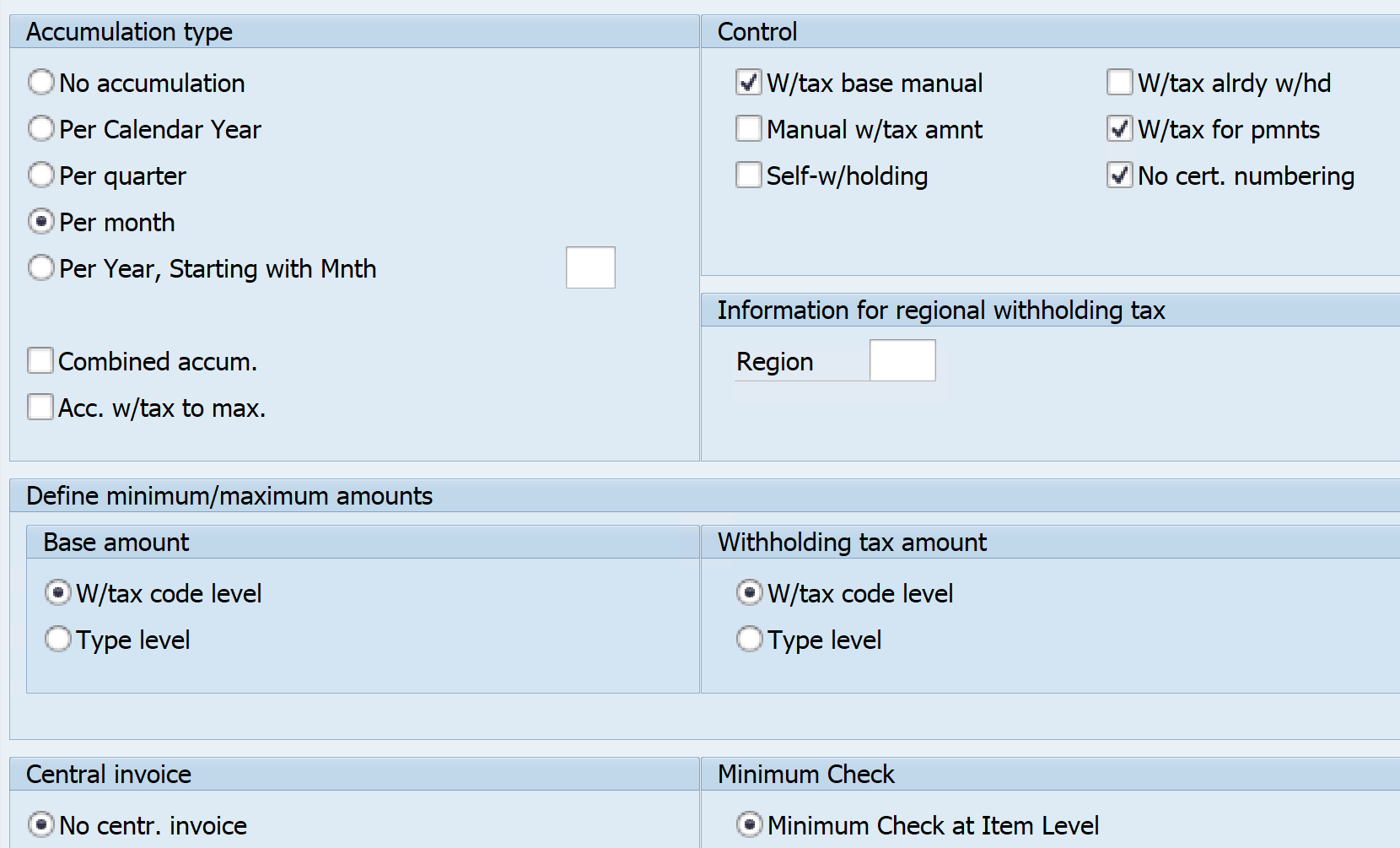
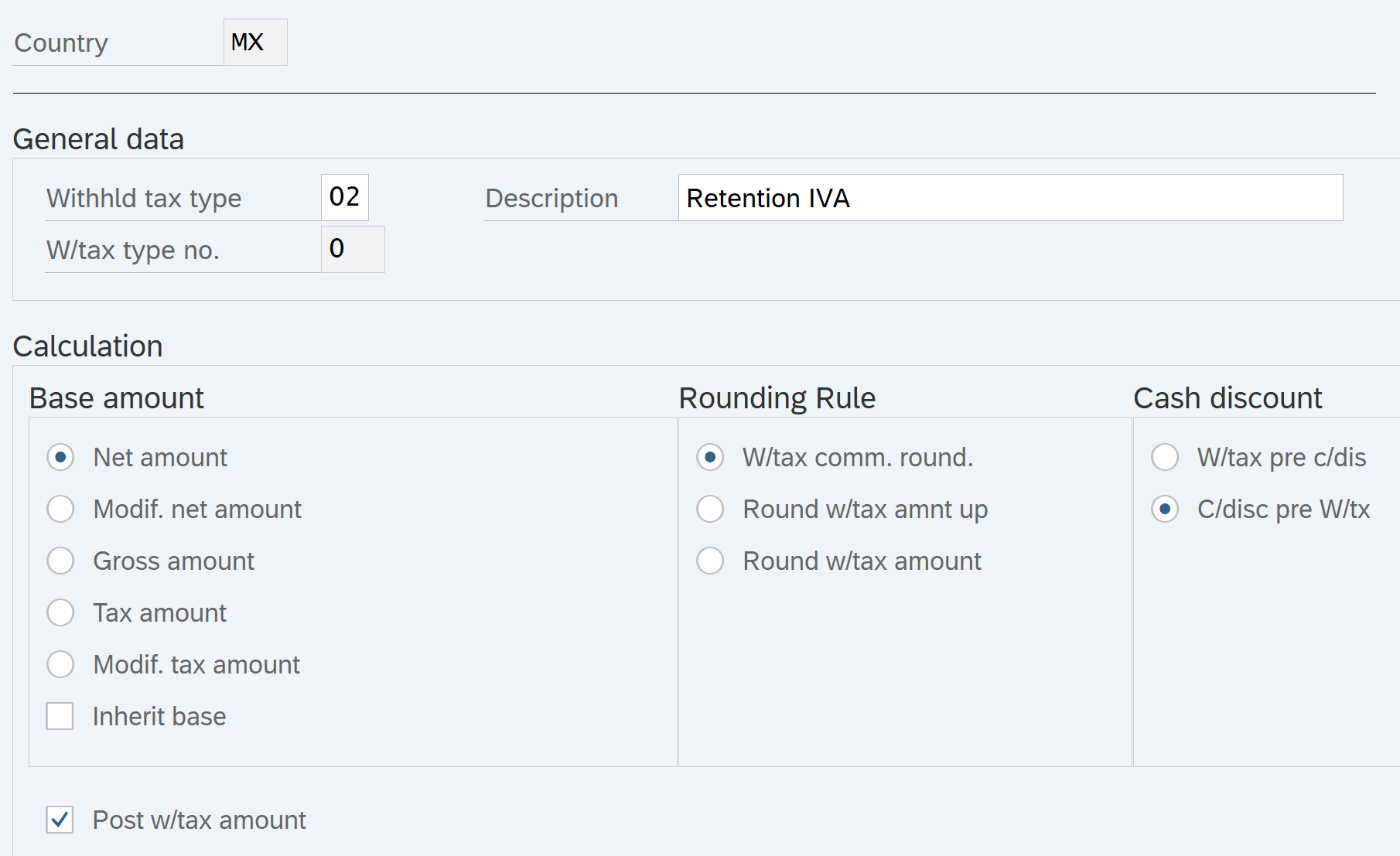
IMG – Financial Accounting- Financial Accounting Global Settings – Withholding Tax – Extended Withholding Tax – Calculations – Withholding Tax Types – Withholding Tax Types for Payment Posting
The withholding tax type controls the essential calculation options for extended withholding tax. While the withholding tax code controls the percentage rate of the withholding tax. Enter the withholding tax type in the customer/vendor withholding tax master data and in the company code master data.
Check Recipient Types
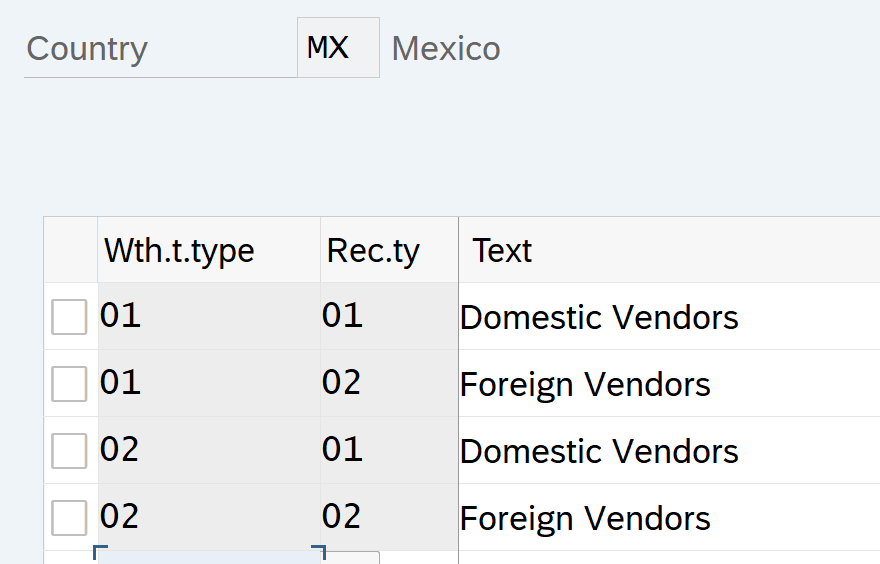
IMG – Financial Accounting- Financial Accounting Global Settings – Withholding Tax – Extended Withholding Tax – Basic Settings – Check Recipient Types
This is required to categorize the vendor
Withholding Taxes Configuration – Calculation
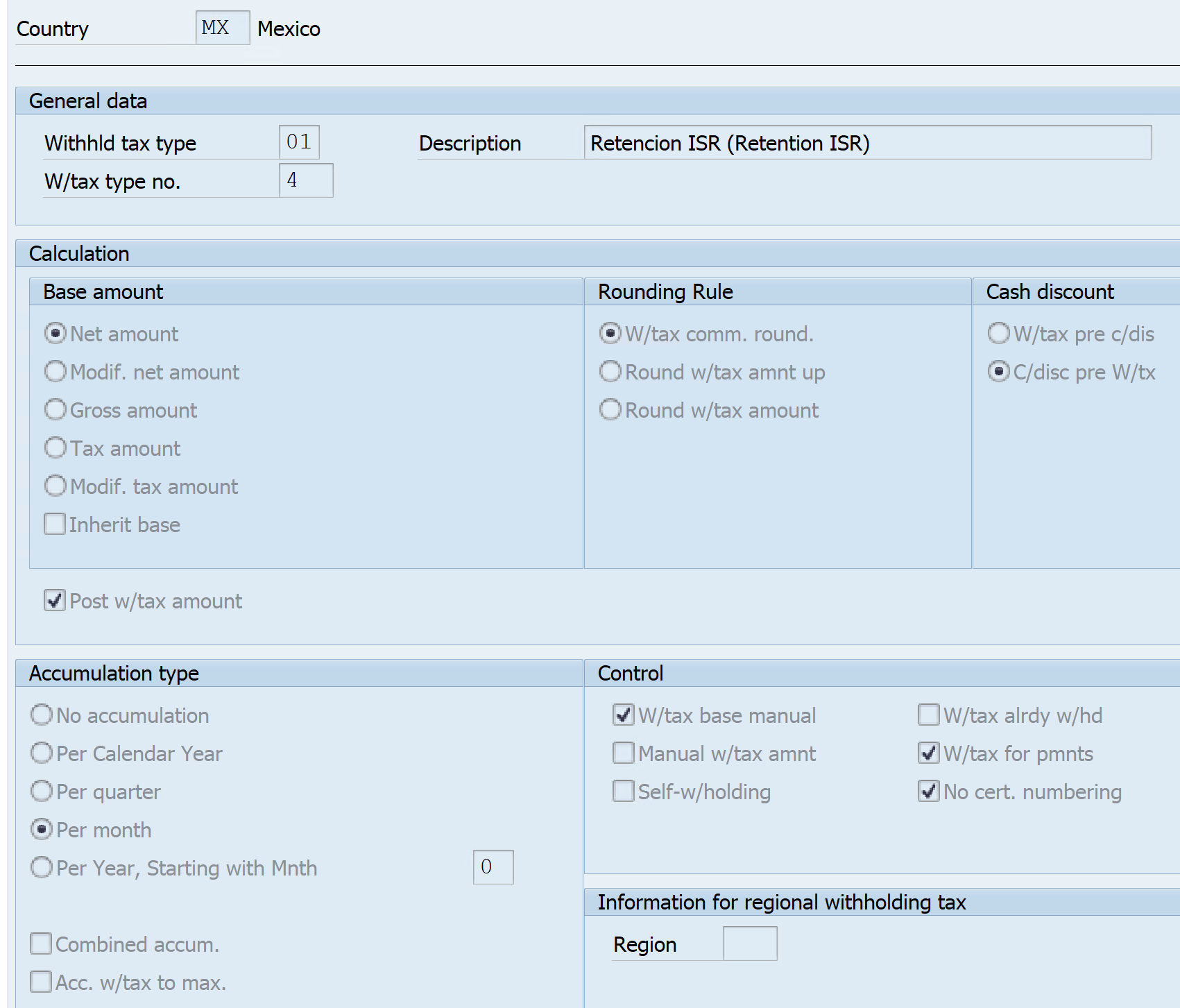
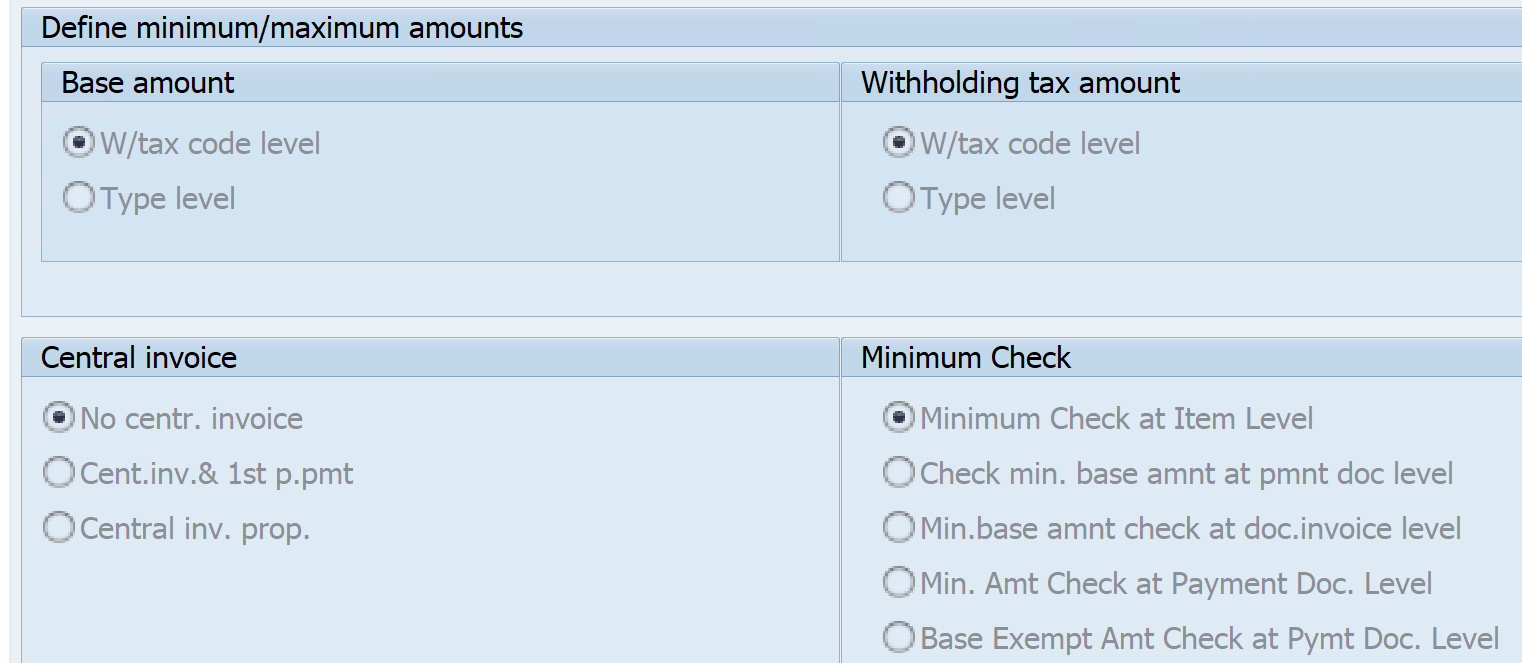
Define Withholding Tax Type for Payment Posting
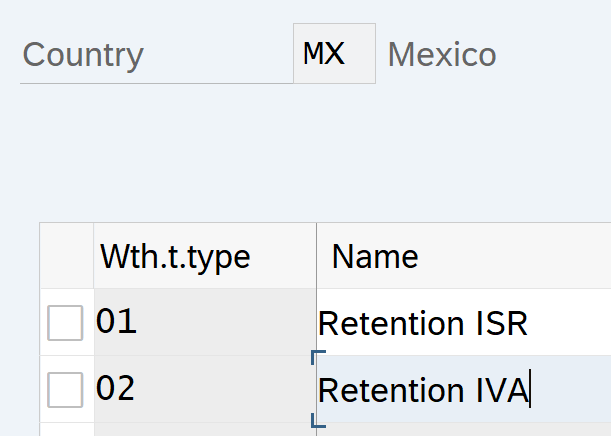
IMG – Financial Accounting- Financial Accounting Global Settings – Withholding Tax – Extended Withholding Tax –Calculation – Withholding Tax Type for Payment Posting
Here we define the withholding tax type for posting at the time of payment.
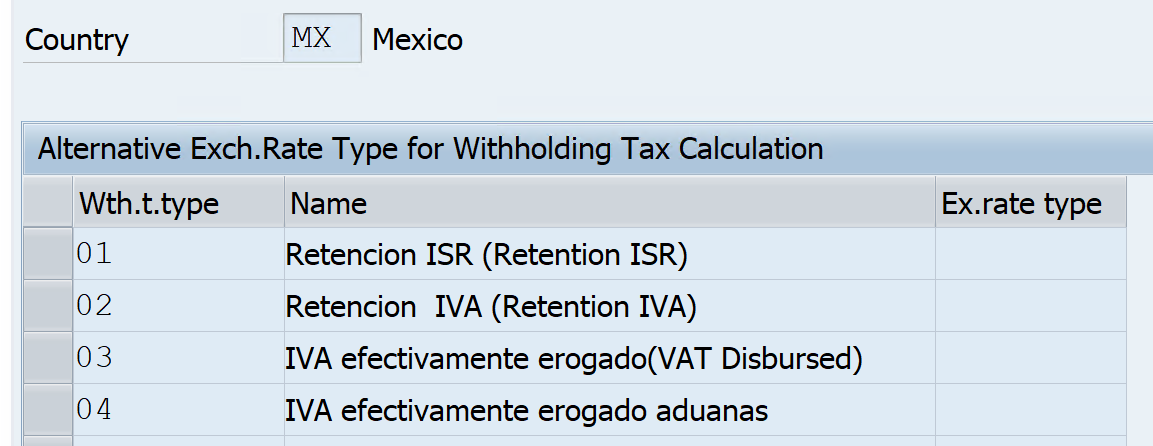
Define Exchange Rate Type for Withholding Tax Type
IMG – Financial Accounting- Financial Accounting Global Settings – Withholding Tax – Extended Withholding Tax –Calculation – Withholding Tax Type – Define Exchange Rate for Withholding Tax Type
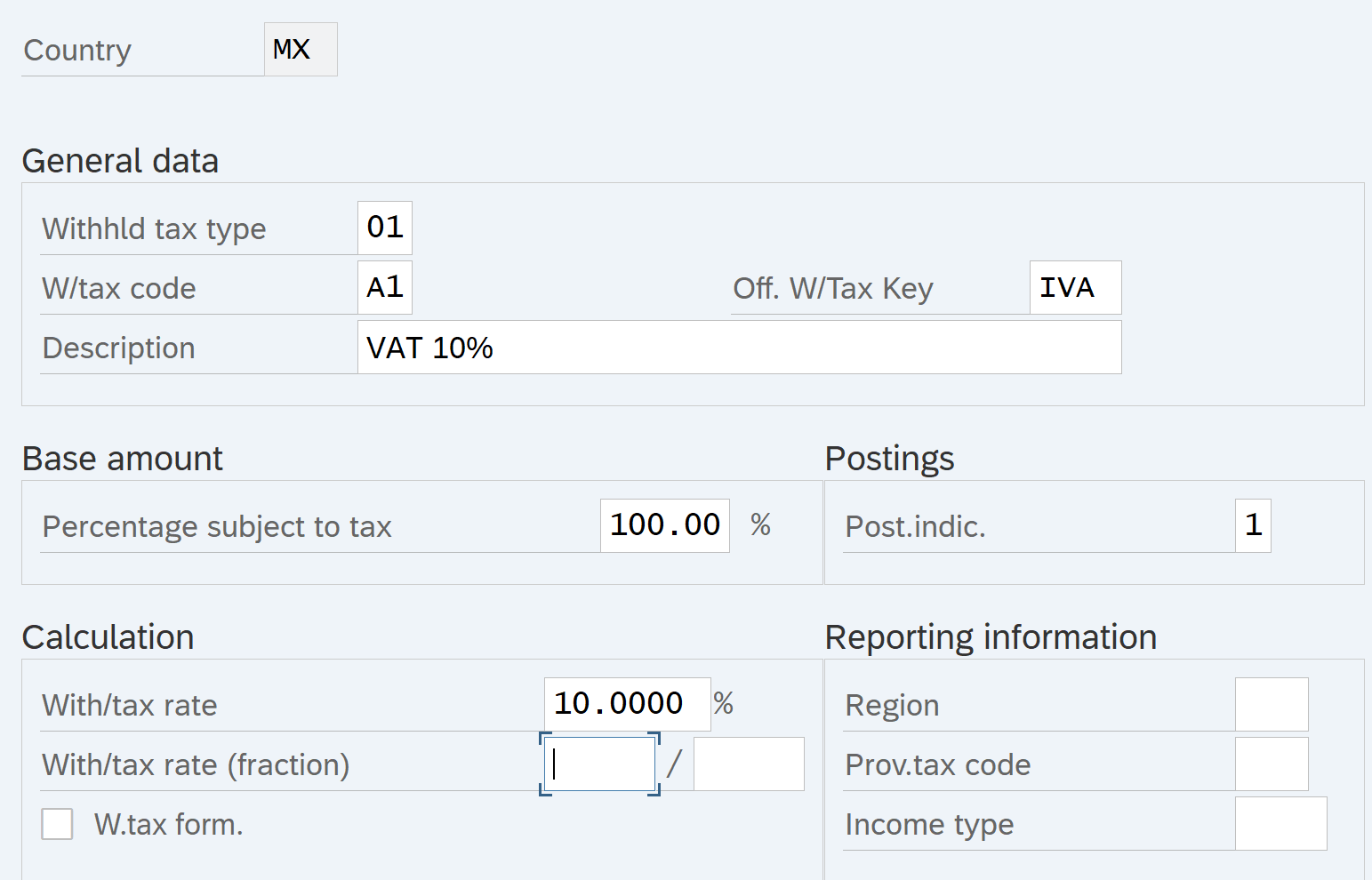
Define Withholding Tax Codes
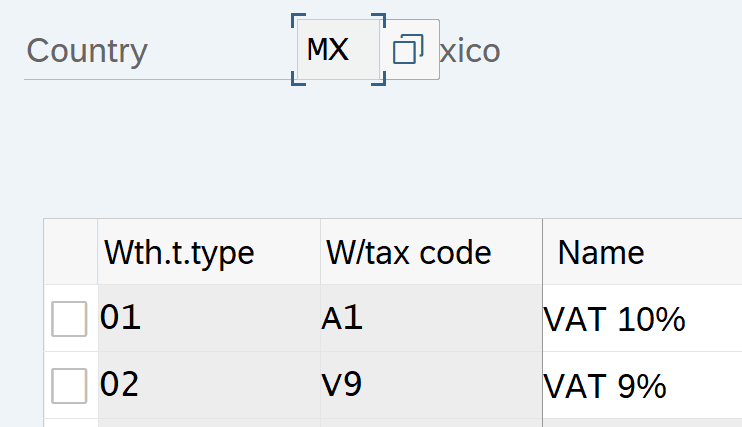
IMG – Financial Accounting- Financial Accounting Global Settings – Withholding Tax – Extended Withholding Tax –Calculation –Withholding Tax Codes – Define Withholding Tax Codes
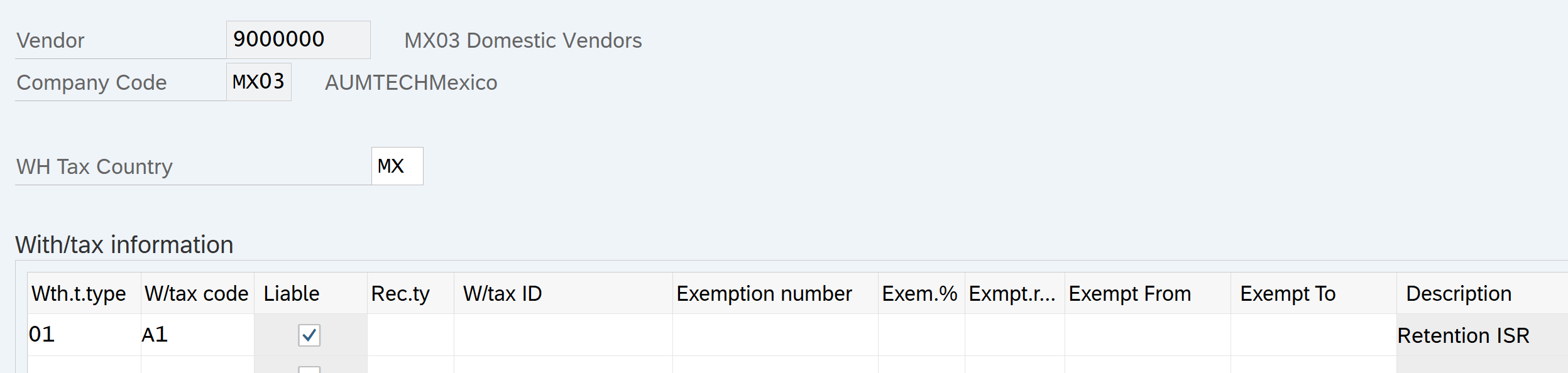
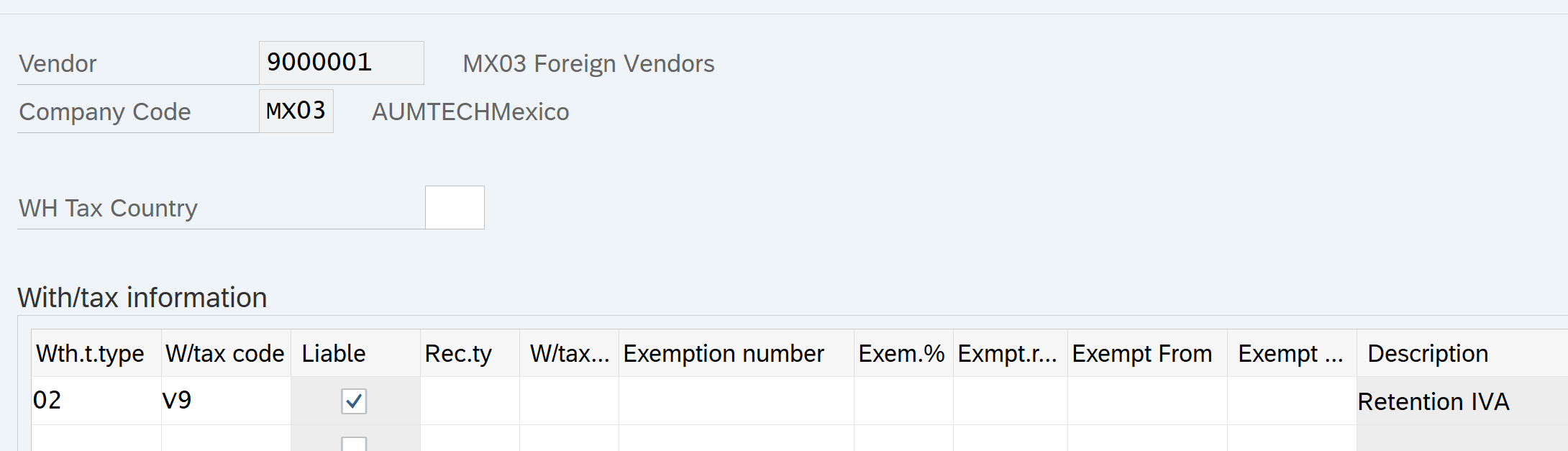
Let us create 2 withholding tax codes A1 and V9 for Professional & Technical services for Invoice posting
Maintain dependencies between withholding tax types
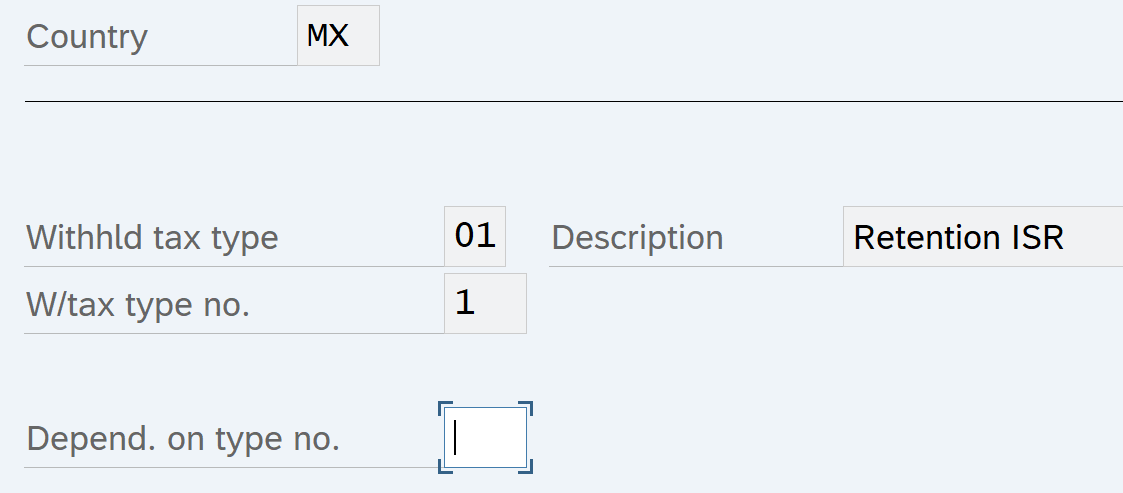
IMG – Financial Accounting- Financial Accounting Global Settings – Withholding Tax – Extended Withholding Tax –Calculation –Withholding Tax Base Amount – Portray dependencies between WH tax Type
Withholding Taxes Configuration- Company Code
Assign Withholding Tax type to Company Code
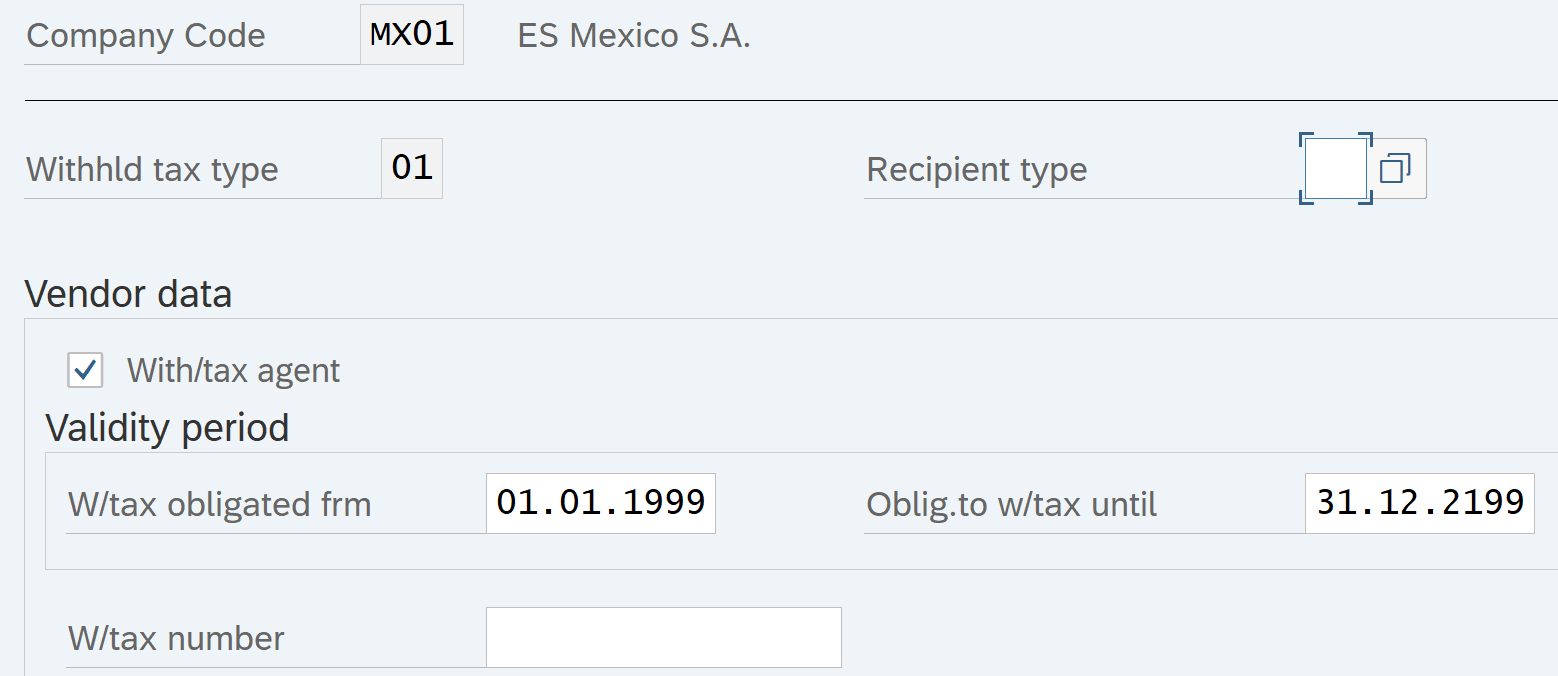
IMG – Financial Accounting- Financial Accounting Global Settings – Withholding Tax – Extended Withholding Tax – Company Codes – Assign Withholding Tax Type to Company Code
Activate Extended Withholding Tax
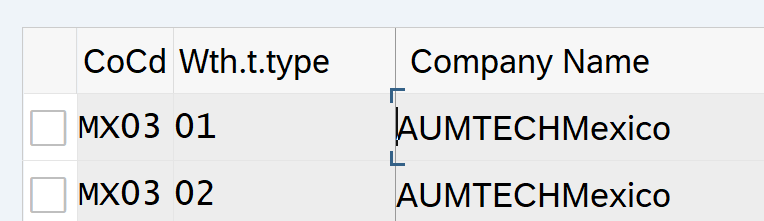
IMG – Financial Accounting- Financial Accounting Global Settings – Withholding Tax – Extended Withholding Tax – Company Codes –Activate Extended Withholding Tax

Withholding Taxes Configuration- Postings
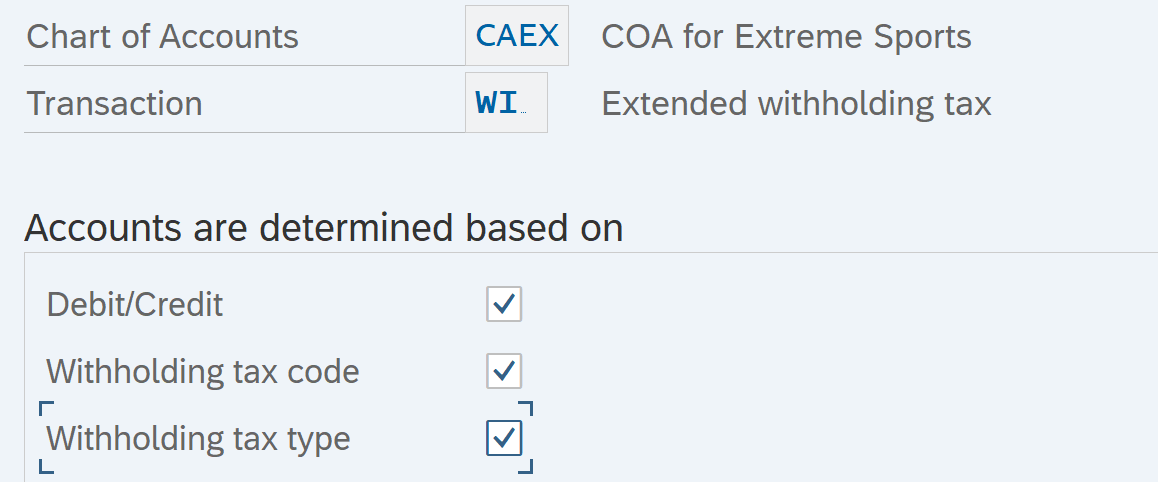
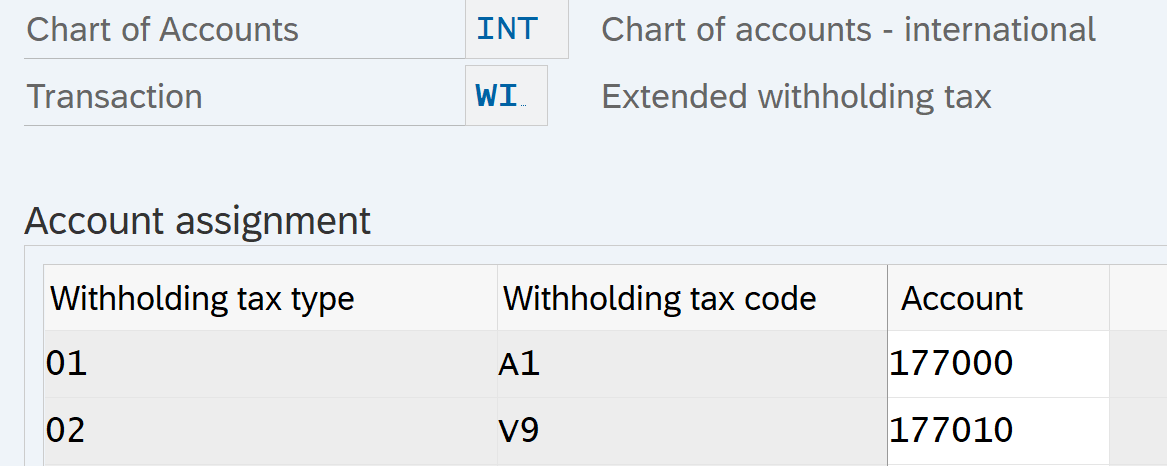
Define Accounts for Withholding Tax to be Paid over
IMG – Financial Accounting- Financial Accounting Global Settings – Withholding Tax – Extended Withholding Tax –Posting – Accounts for Withholding Tax – Define Accounts for Withholding Tax to be Paid over
Withholding Taxes Configuration- Generic Reporting
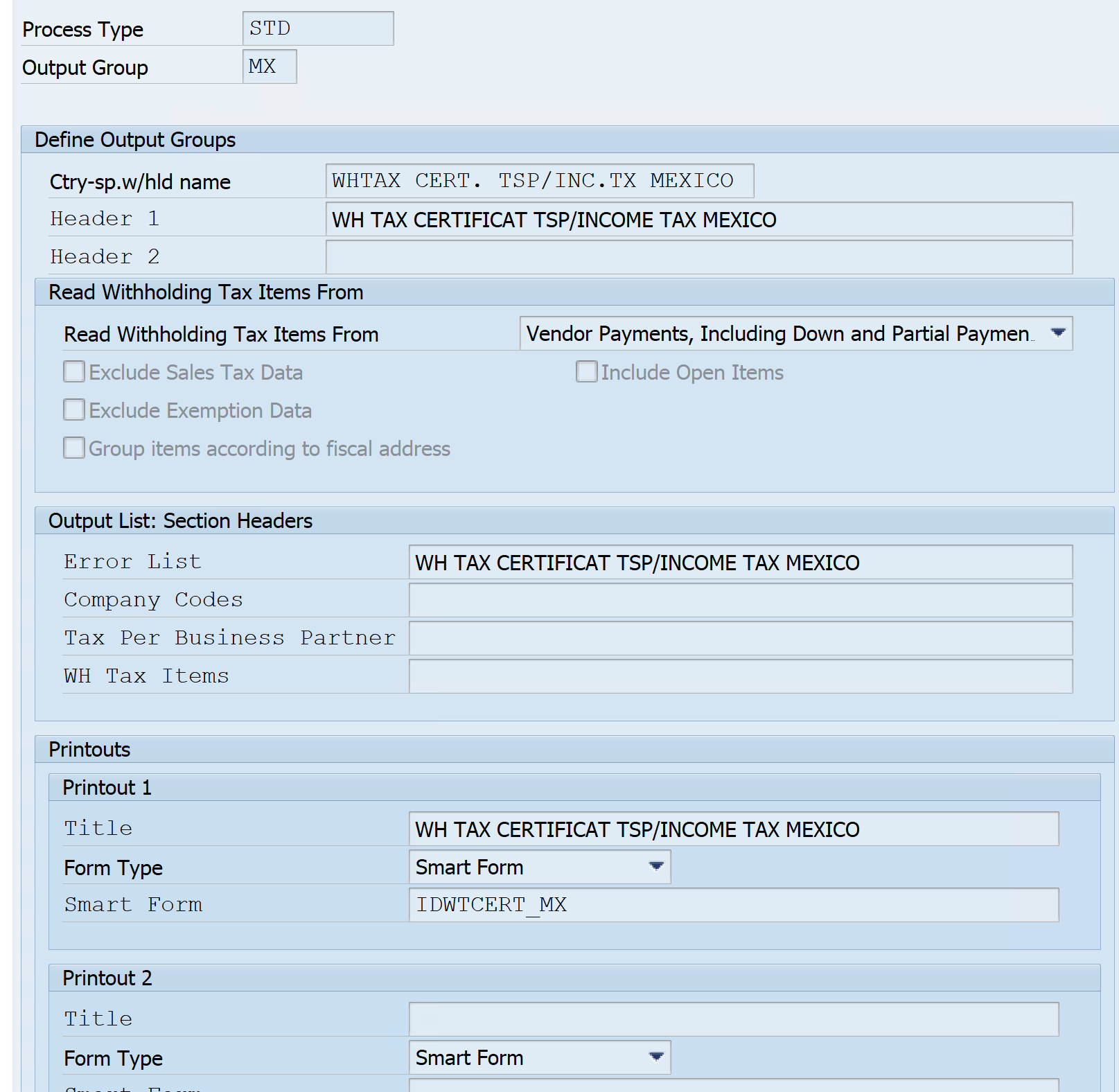
Define Output groups
IMG – Financial Accounting- Financial Accounting Global Settings – Withholding Tax – Extended Withholding Tax –Generic Withholding Tax Reporting – Define Output Groups
Define Forms for Withholding Tax Reporting
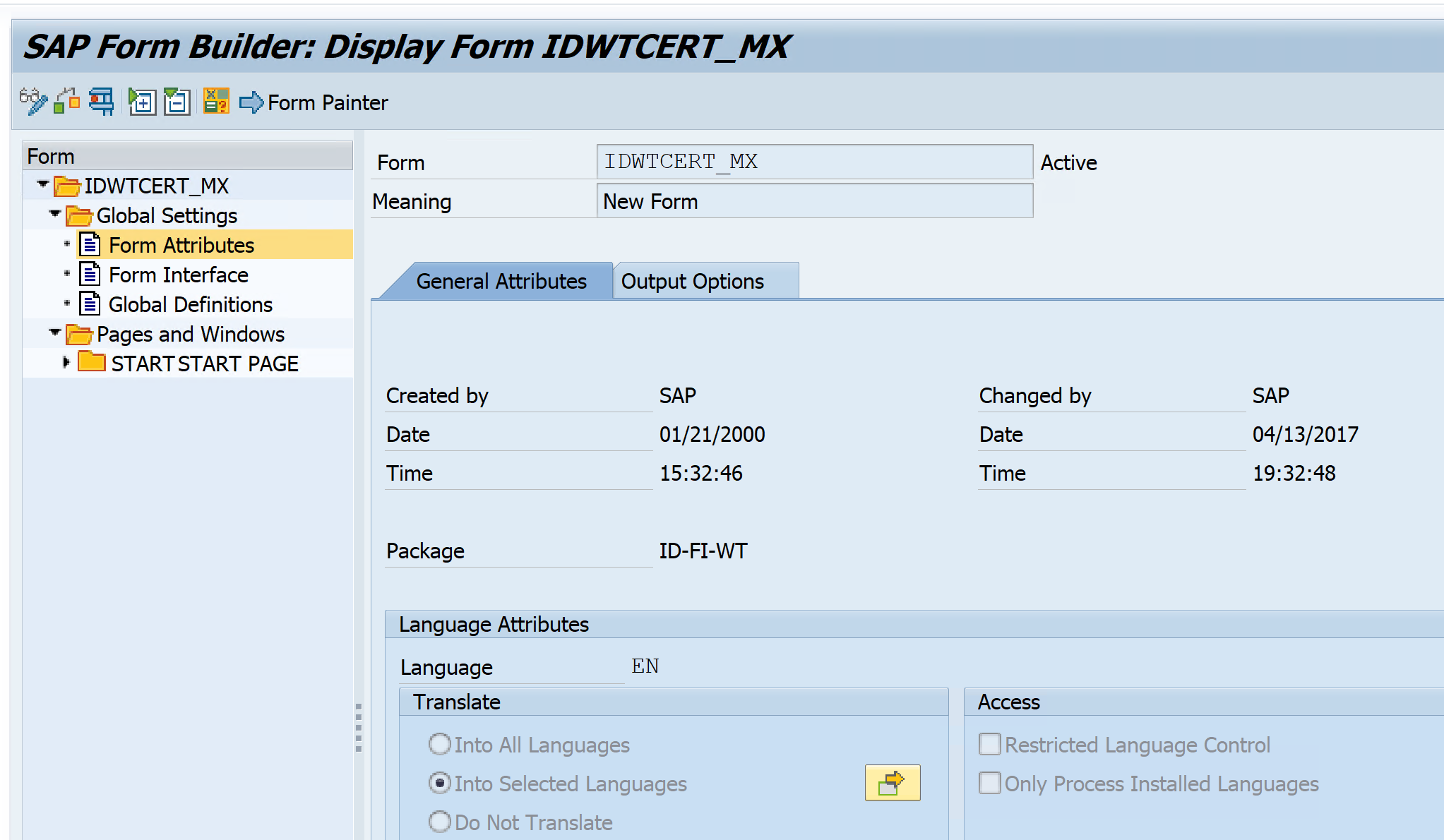
IMG – Financial Accounting- Financial Accounting Global Settings – Withholding Tax – Extended Withholding Tax –Generic Withholding Tax Reporting – Printouts – Define Forms for withholding Tax Reporting
Use SAP predefined Form IDWERT_UK_CIS23I
Assign it in the output group
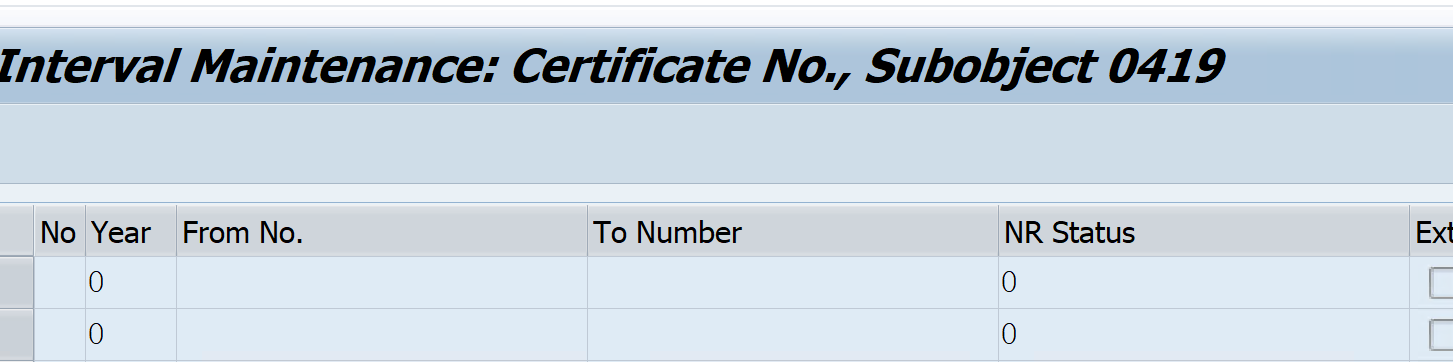
Define Certificate Numbering for Extended Withholding Tax
IMG – Financial Accounting- Financial Accounting Global Settings – Withholding Tax – Extended Withholding Tax –Generic Withholding Tax Reporting – Printouts- Define Forms for Withholding Tax Reporting
Withholding Taxes Vendor Master Data update
Update
Withholding Tax Codes in Vendor Master Data
Tcode: XK02
Withholding taxes business user transactions
Post Vendor Invoice
Tcode: FB60
WH Tax auto populated from Vendor master entries
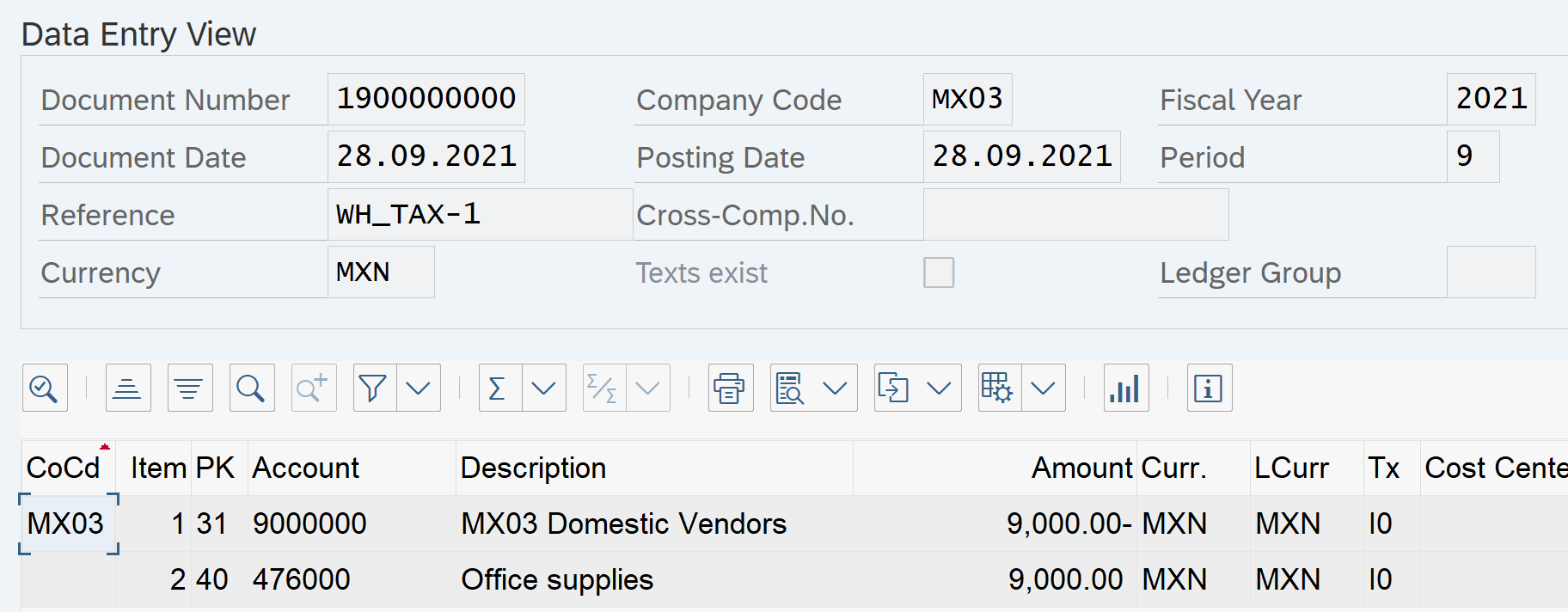
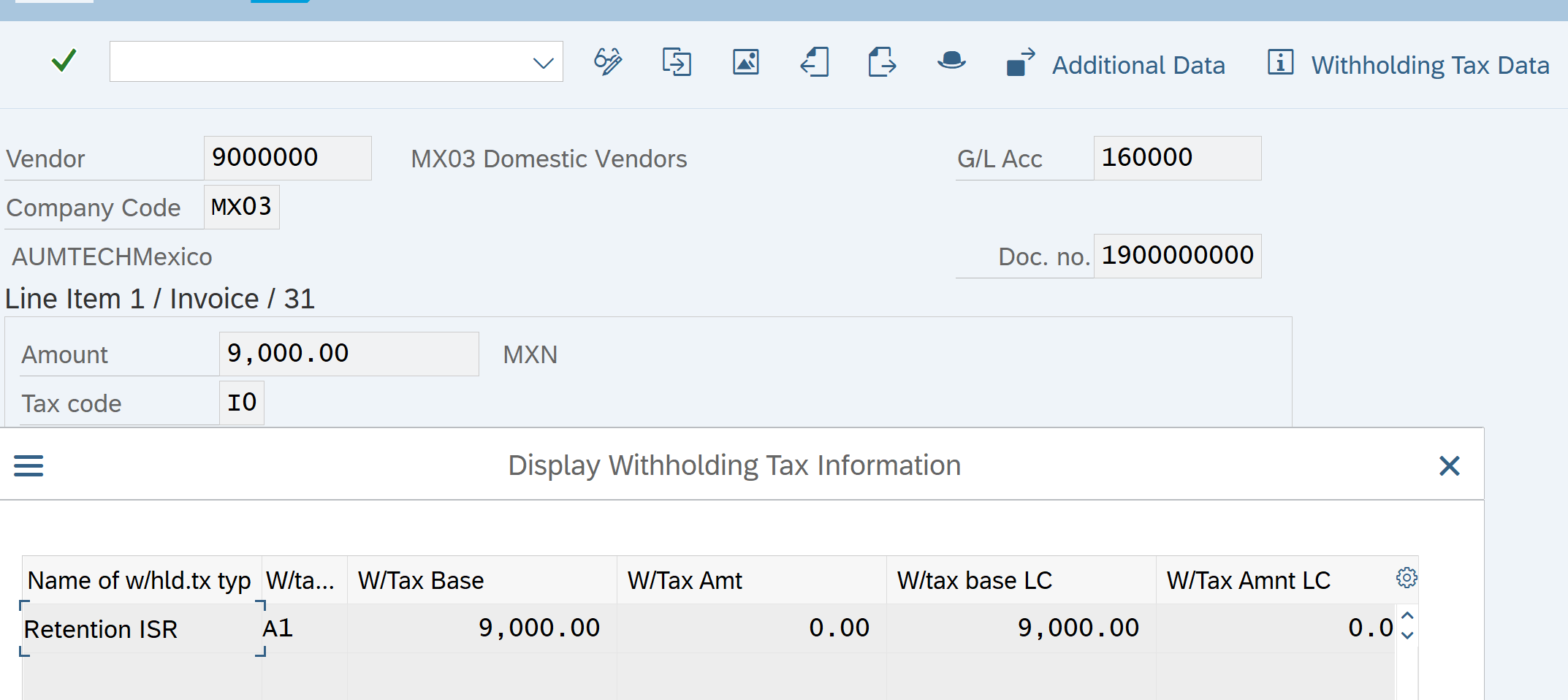
With Holding Tax amount is zero. Withholding Tax is posted at the time of Invoice payment.
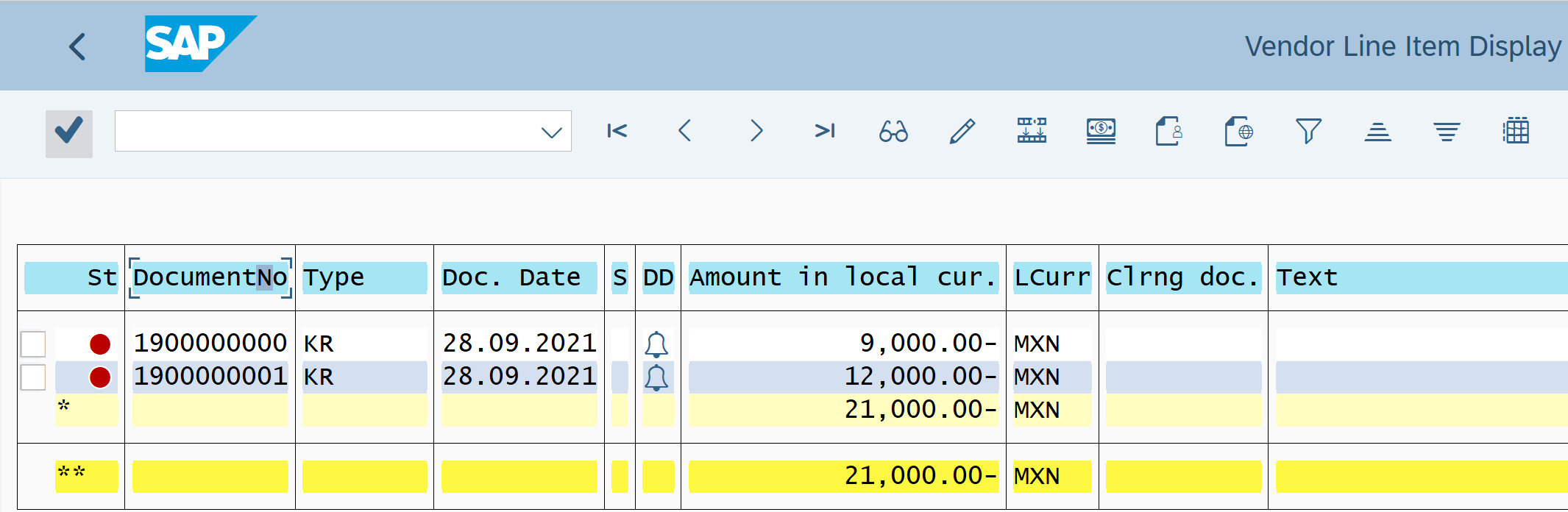
Let’s view the due Invoice. Transaction code : FBL1N
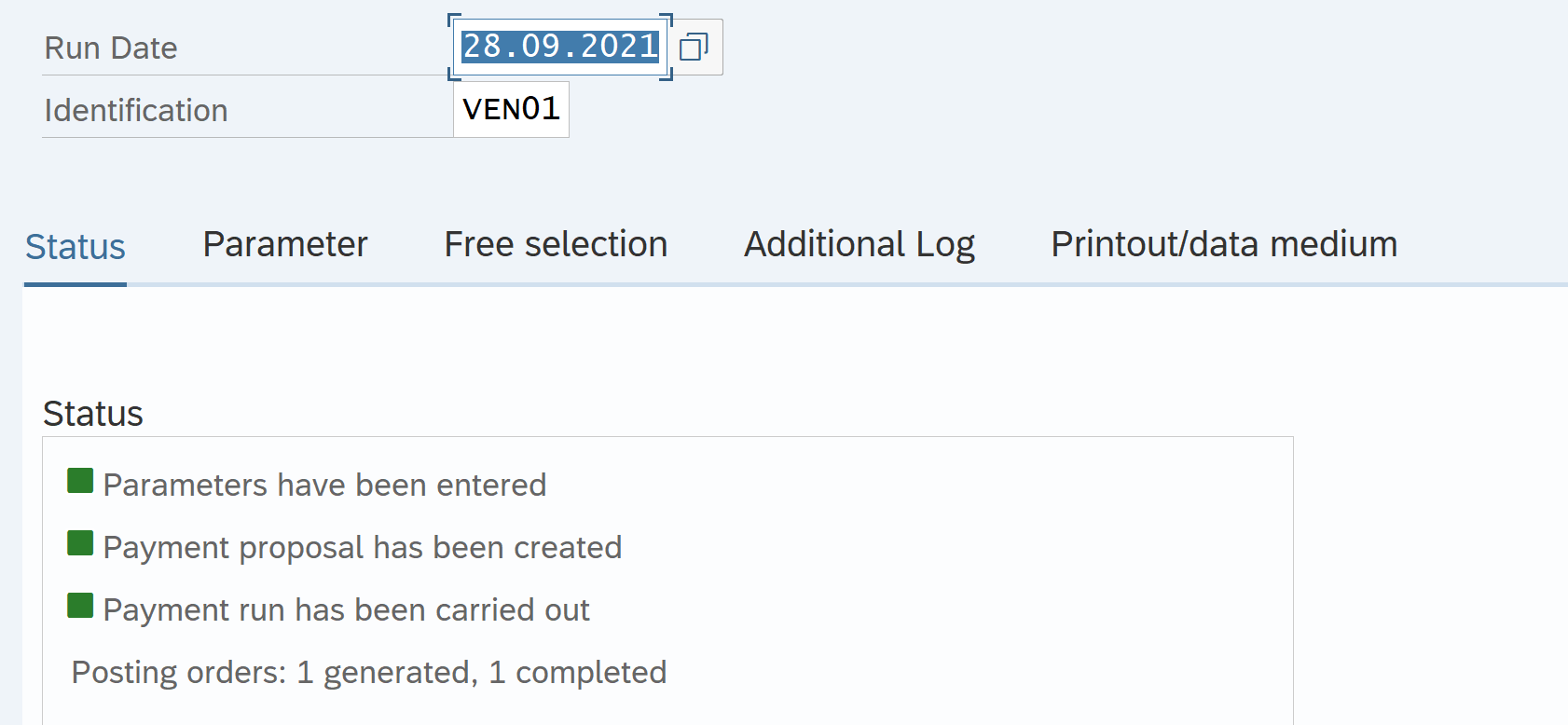
So, let’s pay vendor Invoice
Transaction Code : F110
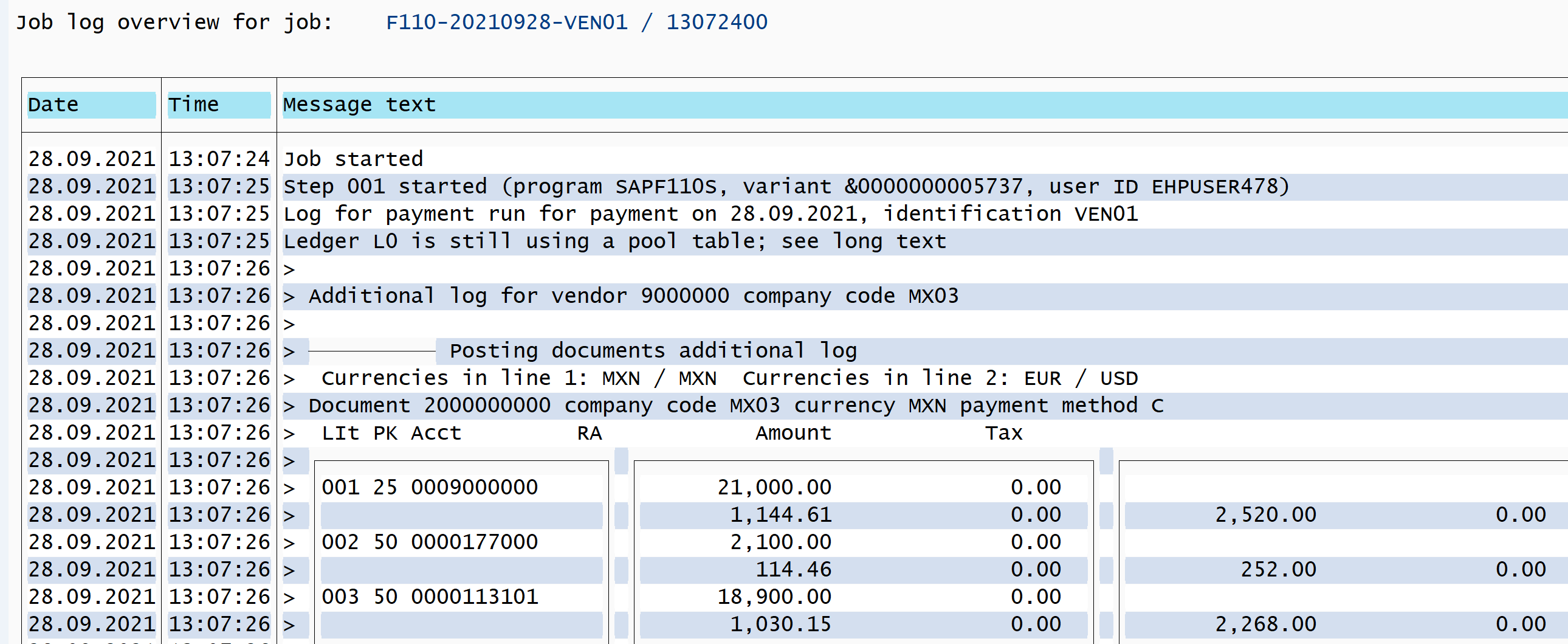
After Payment let’s view the Vendor Invoice
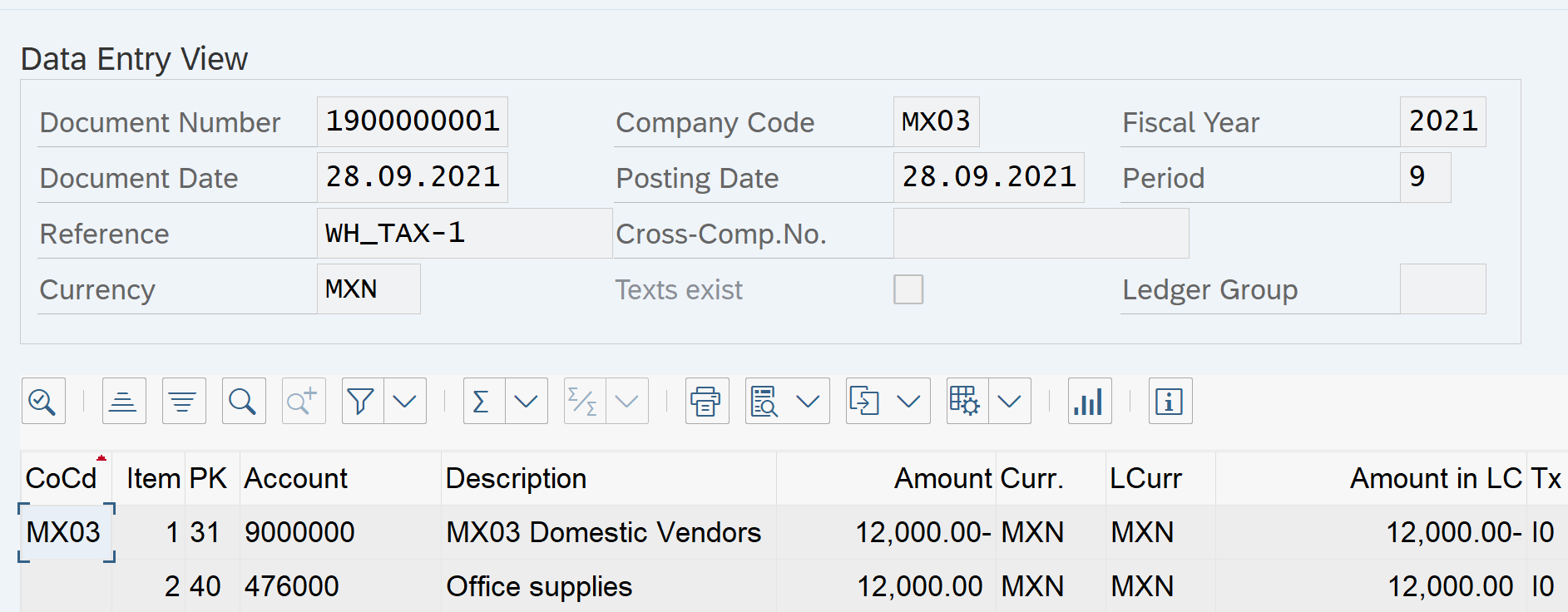
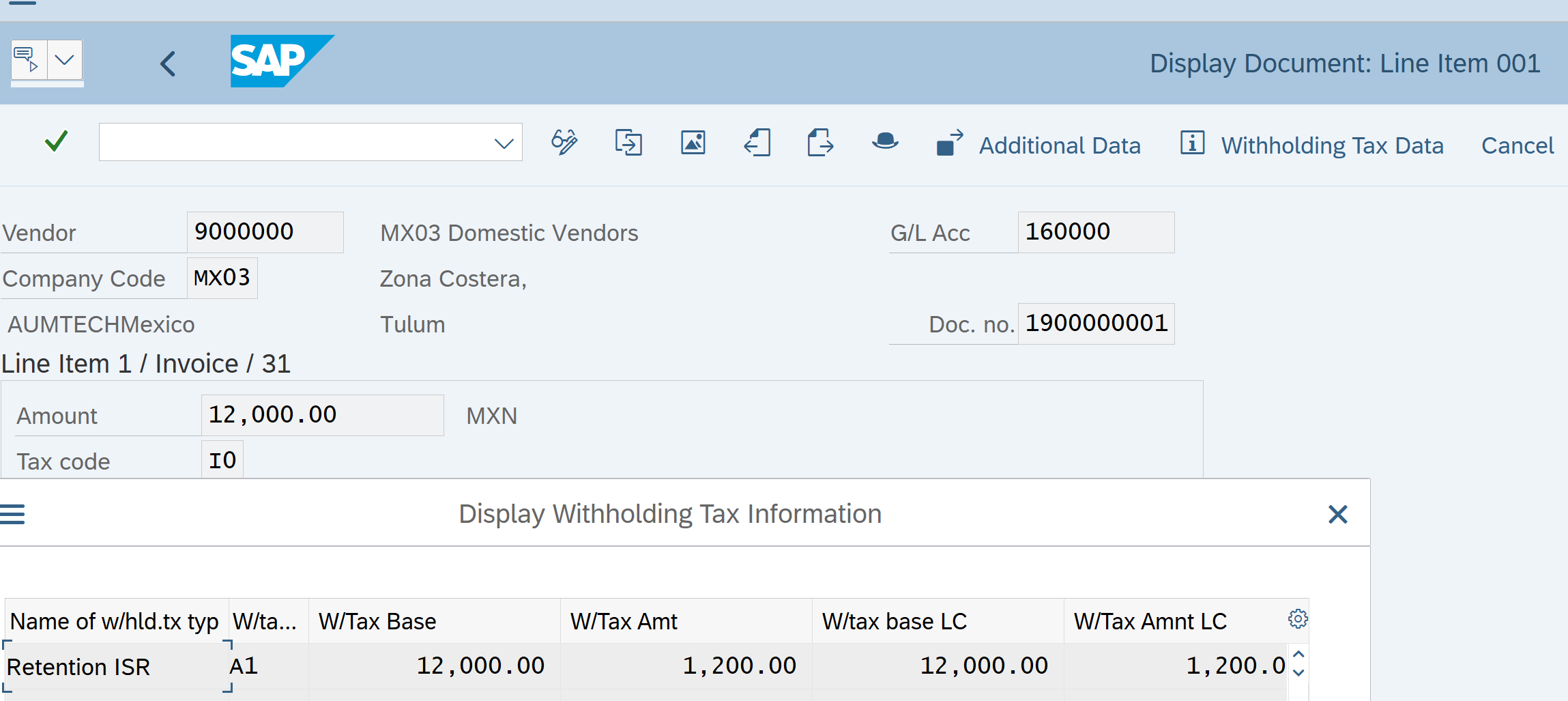
With Holding Tax calculation. With holding Tax code is A1. This calculates 10% of base amount
Payment Document
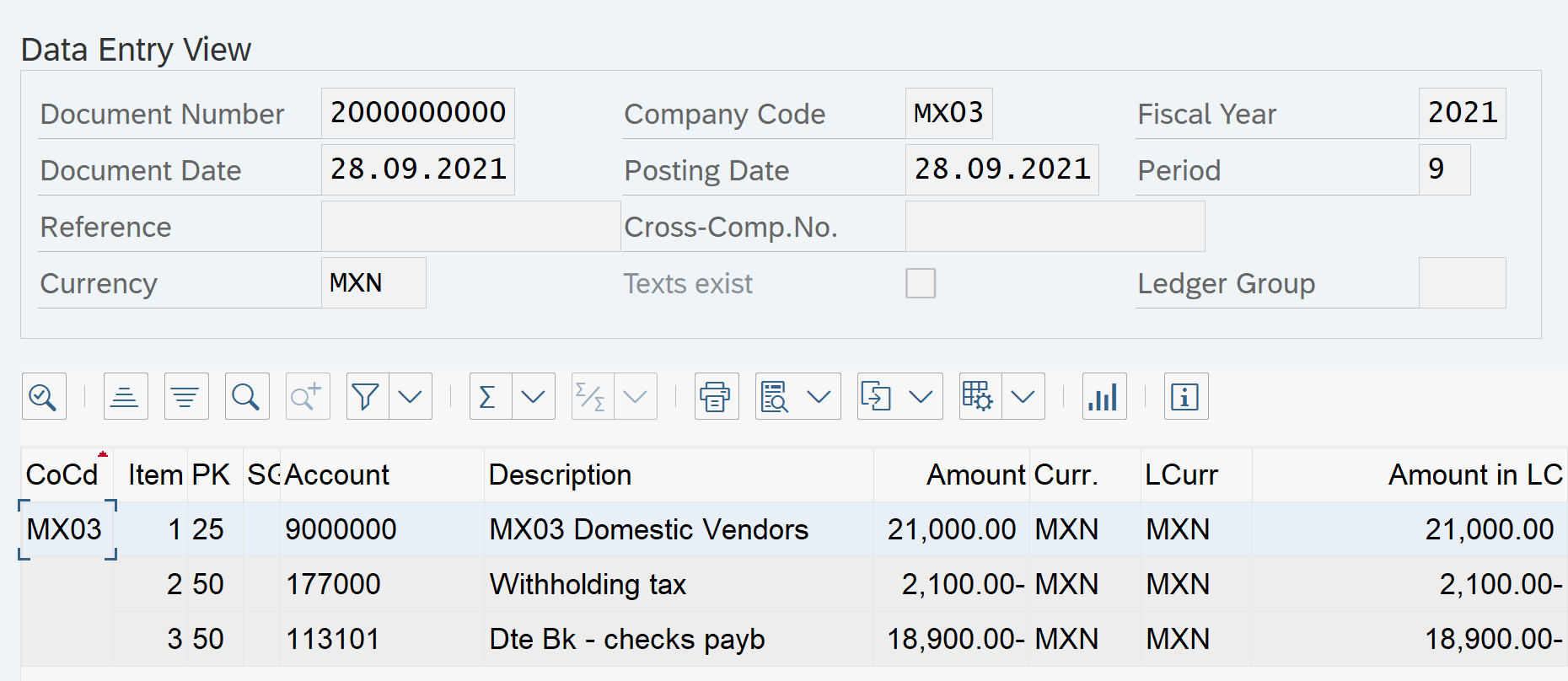
GL Account 177000 is With Holding Tax payable account setup in configuration in earlier steps
Pingback: SAP Tutorials | AUMTECH Solutions-SAP Training